

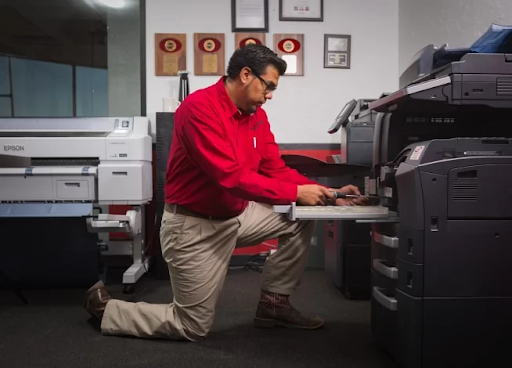
Commercial copiers are essential tools in many businesses, enabling efficient document management and high-quality prints. However, like any complex machinery, copiers are prone to various issues that can disrupt workflow and affect productivity. This article explores common problems faced by commercial copiers and provides guidance on how to address them effectively.
Common Issues in Commercial Copiers
1. Paper Jams
Paper jams are one of the most frequent problems encountered with commercial copiers. They can occur for several reasons, including incorrect paper loading, damaged paper trays, or worn rollers.
Solutions:
- Check Paper Quality and Loading: Ensure that the paper used is appropriate for the copier and is loaded correctly. Paper should be aligned properly in the trays and free from folds or creases.
- Inspect Rollers and Trays: Regularly clean and inspect the rollers and paper trays for signs of wear or damage. Replace any worn components to prevent future jams.
- Follow Manufacturer Guidelines: Adhere to the copier’s maintenance and usage guidelines as specified by the manufacturer.
2. Poor Print Quality
Issues with print quality can manifest as streaks, smudges, or faded prints. These problems often stem from low toner levels, dirty components, or misaligned print heads.
Solutions:
- Check Toner Levels: Regularly monitor and replace toner cartridges as needed. Using high-quality toner and ensuring cartridges are properly installed can prevent print quality issues.
- Clean Internal Components: Dust and debris can accumulate inside the copier and affect print quality. Periodically clean the drum and other internal components as recommended by the manufacturer.
- Calibrate the Copier: Perform calibration to ensure the print heads are aligned correctly. Consult the copier’s manual for specific calibration instructions.
3. Error Messages and Alerts
Commercial copiers often display error messages or alerts when issues arise. These can range from paper supply errors to mechanical failures.
Solutions:
- Refer to the Manual: Error codes and messages are usually detailed in the user manual. Consult the manual to understand the error and follow the suggested troubleshooting steps.
- Perform Basic Troubleshooting: Restart the copier to clear temporary errors. Check for any visible issues, such as paper jams or toner problems, that may be causing the error.
- Seek Professional Help: If the error persists, it may indicate a more complex issue. Contact a professional printer service expert for an accurate diagnosis and repair.
Commercial Copier Repair
When faced with persistent issues or complex malfunctions, commercial copier repair becomes essential. Proper repair procedures can ensure that the copier is restored to optimal functionality and minimize downtime.
1. Identifying the Problem
Before initiating repairs, accurately identify the problem. This involves:
- Diagnosing Symptoms: Observe and document the symptoms experienced, such as error messages, print quality issues, or mechanical noises.
- Consulting the Manual: Use the copier’s manual to understand the potential causes of the issue based on the symptoms observed.
2. Performing Repairs
Basic Repairs:
- Replacing Consumables: Replace toner cartridges, drums, or other consumables that are worn out. Ensure that replacements are compatible with the copier model.
- Clearing Jams: Follow the manufacturer’s instructions to safely clear paper jams and inspect the copier for any remaining debris.
Advanced Repairs:
- Repairing Mechanical Parts: If mechanical components such as rollers or gears are damaged, they may need to be repaired or replaced. This often requires technical expertise and specialized tools.
- Addressing Electrical Issues: Electrical faults can affect the copier’s performance. These may involve checking wiring, fuses, or circuit boards, which should be handled by a qualified technician.
3. Preventative Maintenance
To reduce the likelihood of future issues, implement a preventative maintenance plan:
- Regular Cleaning: Schedule regular cleaning of internal components and replace consumables before they reach their end of life.
- Routine Inspections: Perform routine inspections to identify and address potential problems before they escalate.
- Professional Servicing: Arrange for periodic professional servicing to ensure the copier remains in good condition and functions efficiently.
Conclusion
Understanding and addressing common issues in commercial copiers can significantly improve their performance and longevity. From resolving paper jams and print quality problems to managing error messages and performing repairs, proper maintenance and timely intervention are key to ensuring the copier operates smoothly. For complex issues, professional commercial copier repair services can provide the expertise needed to resolve problems effectively and keep your business running efficiently.
