

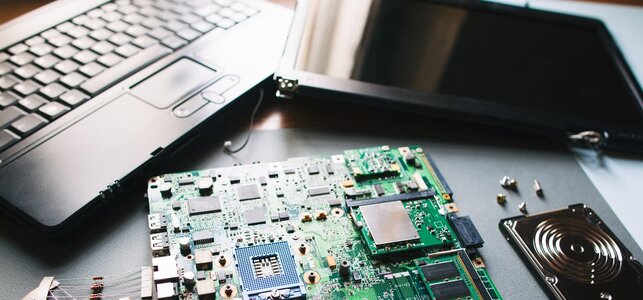
Laptops are great tools to help you do many tasks, such as learning, playing games, and staying connected with friends and family. However, sometimes your laptop motherboard can malfunction and require repairs. Some signs include the laptop not turning on, shutting down randomly, or displaying the Blue Screen of Death (BSOD). Other symptoms include no display output, unusual noises, and non-functional ports and connections. Issues related to overheating and battery charging might even require professional laptop motherboard repair.
How Do You Know If Your Laptop Motherboard Needs Repair?
Here are the signs you should know about:
Laptop Won’t Turn On
One of the most obvious signs is when your laptop doesn’t turn on. When you press the power button, there are no lights, sounds, or any sign of activity. It may be a faulty motherboard. Before concluding it’s a motherboard issue, verify that the battery is charged and the power adapter is functioning properly. If everything is in good working order and still not working, the problem might lie with the motherboard.
Random Shutdowns
If your laptop shuts down suddenly without warning—even when the battery is full and there is no overheating—it might be a sign that the motherboard is failing. These sudden shutdowns can interrupt your work and indicate something is wrong with the central components. The motherboard distributes power to the laptop. If it fails, the system may shut down without warning.
Laptop Showing Blue Screen of Death (BSOD)
If you use Windows on your laptop, you may have seen a blue screen displaying error codes. This is often called the “Blue Screen of Death,” or BSOD. It usually means that your laptop has encountered a serious problem. If you see BSOD multiple times, especially during different tasks, it could indicate an issue with the motherboard or memory.
No Display on Screen
If your laptop powers on, but the screen does not light up, it might be caused by a motherboard issue. The motherboard is where the GPU is integrated or connected; when it malfunctions, there may be no output for the display. However, before jumping to conclusions, you may want to connect your laptop to an external monitor to see if there is a display. If there is still no output, the motherboard could be the culprit.
Strange Noises
Laptops should operate relatively quietly except for the hum of the fan. If you hear unusual buzzing or beeping sounds, this could be a sign that your motherboard is detecting an internal issue. Beeping noises are commonly associated with hardware failures. Most motherboards have been programmed to give specific beep codes to denote certain problems. For instance, several beeps may indicate a memory problem, while a different pattern may indicate a CPU problem.
Ports Not Working
If the USB ports, headphone jack, or other connectors are not working as they used to, this can indicate a malfunctioning motherboard. The motherboard governs the connectivity of all your ports. If it malfunctions, the chances are that your accessories will malfunction. For example, when you plug in a USB device, the laptop fails to recognize it. It may be caused by damaged input/output circuits on the motherboard.
Overheating Issues
It’s normal for laptops to warm up during use, but excessive heat can be problematic. Overheating occurs when the motherboard cannot handle power flow appropriately. It may burn parts and result in instability within the system. Even if the fans work and vents are clean, overheating could still be a sign of a motherboard problem.
Battery Not Charging
If your laptop doesn’t charge even when plugged in, it may not just be a battery issue. The motherboard controls the charging function, so a malfunction may prevent your laptop from receiving power. In some cases, the motherboard may have a problem with charging parts, which causes the battery not to charge or the laptop not to recognize the charger. Use a different charger or battery before assuming it is the motherboard.
How to Prevent Laptop Motherboard Failure?
To keep your laptop’s motherboard healthy:
- Keep it Cool: Place your laptop on a hard surface, not a blanket, to improve airflow.
- Clean Regularly: Remove dust from vents and fans to maintain proper cooling.
- Use a Surge Protector: Protect against electrical surges that can damage components.
- Handle with Care: Avoid dropping or bumping your laptop to prevent physical damage.
- Keep Liquids Away: Prevent spills that can cause short circuits.
- Update Software: Ensure your operating system and drivers are up to date to minimize potential issues.
- Use Compatible Parts: Ensure any upgrades are compatible with your laptop.
Conclusion
Recognizing the signs of a failing laptop motherboard, such as failure to power on, random shutdowns, or overheating, is vital for early detection. Additionally, preventive measures—like proper cooling, regular cleaning, and surge protectors—can help maintain motherboard health and prevent untimely laptop motherboard repairs. Being cautious with your laptop and keeping it updated can further reduce the risk of motherboard issues, ensuring it runs smoothly for a longer time.
